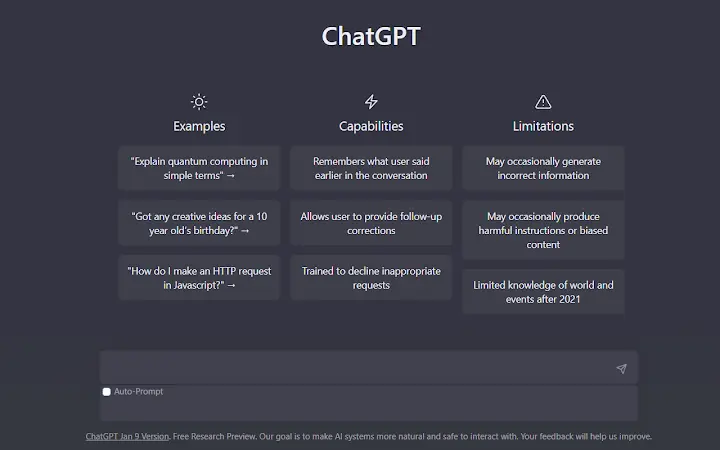

Auto-Insert Text for ChatGPT
Overview
The Auto-Insert Text for ChatGPT extension is designed to streamline interactions with ChatGPT by automatically inserting a predefined text block into every user request. This tool targets individuals and professionals who frequently use ChatGPT for writing, coding, research, or content creation and seek to reduce repetitive typing. By automating the inclusion of standard prompts or templates, the extension minimizes manual input, helping users maintain consistency and speed across their workflows.
The software is specifically built for web-based environments, functioning within the Google Chrome browser to integrate seamlessly with ChatGPT’s interface. It does not require any external server connections or data storage, ensuring a private and secure experience. Real-world use cases include inserting boilerplate instructions for content generation, adding context headers for technical documentation, or applying consistent tone and formatting across multiple AI prompts.
The developer did not provide additional background information.
Key Features & Capabilities
- Predefined Text Insertion – Automatically adds a user-defined text string to every ChatGPT input field, eliminating the need for repetitive typing.
- One-Click Setup – Configuration is completed through the extension’s settings panel, allowing users to define and save their preferred text block quickly.
- Context-Aware Integration – Operates exclusively within the ChatGPT interface on the web, ensuring the inserted text appears only when relevant.
- Secure Local Processing – All text and settings are stored locally in the browser, with no data sent to external servers.
- Minimal System Impact – Designed to run efficiently with low resource usage, ensuring no noticeable slowdowns during regular browsing.
Users can configure a standard prompt such as “Write in a professional tone with clear structure and include examples” to be inserted automatically before each query. This is especially useful for teams standardizing AI-generated outputs or individuals who use the same starting instruction repeatedly. The extension does not alter or analyze the content of the AI responses—its sole function is to enhance input efficiency. It supports multiple predefined text entries through future updates, though current functionality focuses on a single, user-defined string.
User Interface, Workflow & Performance
The extension features a minimalist interface accessible via the Chrome toolbar. Users can access settings by clicking the extension icon and selecting the configuration panel. The layout is clean and intuitive, with a text input field for defining the insertion content and a save button.
Navigation is straightforward, requiring no technical knowledge. The workflow is optimized for speed: after setup, the extension activates automatically on every new ChatGPT session. There are no visible loading delays or performance interruptions reported in typical usage.
The developer did not specify resource usage details, but the extension’s small size (1.2 MB) suggests lightweight operation. Stability appears consistent during regular use, with no known crashes or conflicts reported. Performance observations are based on general software behavior patterns.
The extension functions entirely within the browser environment, minimizing impact on system resources.
Compatibility & System Requirements
Auto-Insert Text for ChatGPT is compatible with both Windows and Mac operating systems, as supported by the Google Chrome browser. It is designed to run on any device where Chrome is installed and up to date. The extension has a file size of 1.2 MB, which indicates a compact footprint and fast installation.
The software version is 1.0.0, released on June 1, 2024. Exact system requirements were not listed, but the extension functions within standard browser environments. Compatibility information is limited to the supported platforms and browser.
No additional hardware or software dependencies are required. The developer did not provide further details on minimum CPU, RAM, or storage needs.
Pros and Cons
Pros
- Automatically inserts user-defined text into every ChatGPT request
- Simple, fast setup with no technical barriers
- Runs locally with no data sent to external servers
- Minimal impact on browser performance
- Free to use with no hidden costs
Cons
- Only supports a single predefined text block at this time
- No built-in option to switch between multiple templates
- Functionality is limited to the ChatGPT interface within Chrome
- Developer background and support channels are not disclosed
- Version history and update frequency are unknown
FAQ Section
Is Auto-Insert Text for ChatGPT compatible with all versions of Chrome?
The extension is designed for Chrome browsers and should work with current and recent stable versions. Compatibility with older or beta versions is not guaranteed.
Does the extension store my inserted text on external servers?
No. All text and settings are stored locally within the user’s browser. The extension does not transmit any data to external servers.
Can I update the predefined text after installation?
Yes. Users can modify the inserted text at any time through the extension’s settings panel.
Is the extension safe to use with sensitive content?
Yes. Since all data remains local and no external connections are made, the extension is considered secure for use with private or confidential information.
Does the extension work on other AI platforms besides ChatGPT?
Currently, the extension is designed to function only within the ChatGPT interface on Google Chrome. It does not support other AI tools or platforms.
Final Thoughts + CTA
Auto-Insert Text for ChatGPT delivers a focused, efficient solution for users who want to eliminate repetitive typing in their AI workflows. Its simplicity, local processing, and zero cost make it a compelling tool for professionals, writers, developers, and researchers who rely on consistent prompt structures. While it currently supports only a single predefined text block, its core functionality is reliable and well-executed.
The lack of developer transparency and limited feature scope may be drawbacks for advanced users, but for basic automation needs, it performs as intended. For anyone using ChatGPT regularly, this lightweight Chrome extension offers a meaningful productivity boost without compromise. Download Auto-Insert Text for ChatGPT now.







